
 Connect Cursor
Use your Straitly key inside Cursor. Set up OpenAI once, then enable each provider you want to use with the same key.
- Have ready
- Cursor installed and a Straitly API key.
- What changes
- Your API key and OpenAI base URL in Cursor's model settings.
Keep copied keys and setup commands private.
Before you start
Copy your Straitly key. It uses the key made for you when you signed up, or creates one named cursor. You paste it into Cursor in step 2.
Setup
1. Open model settings
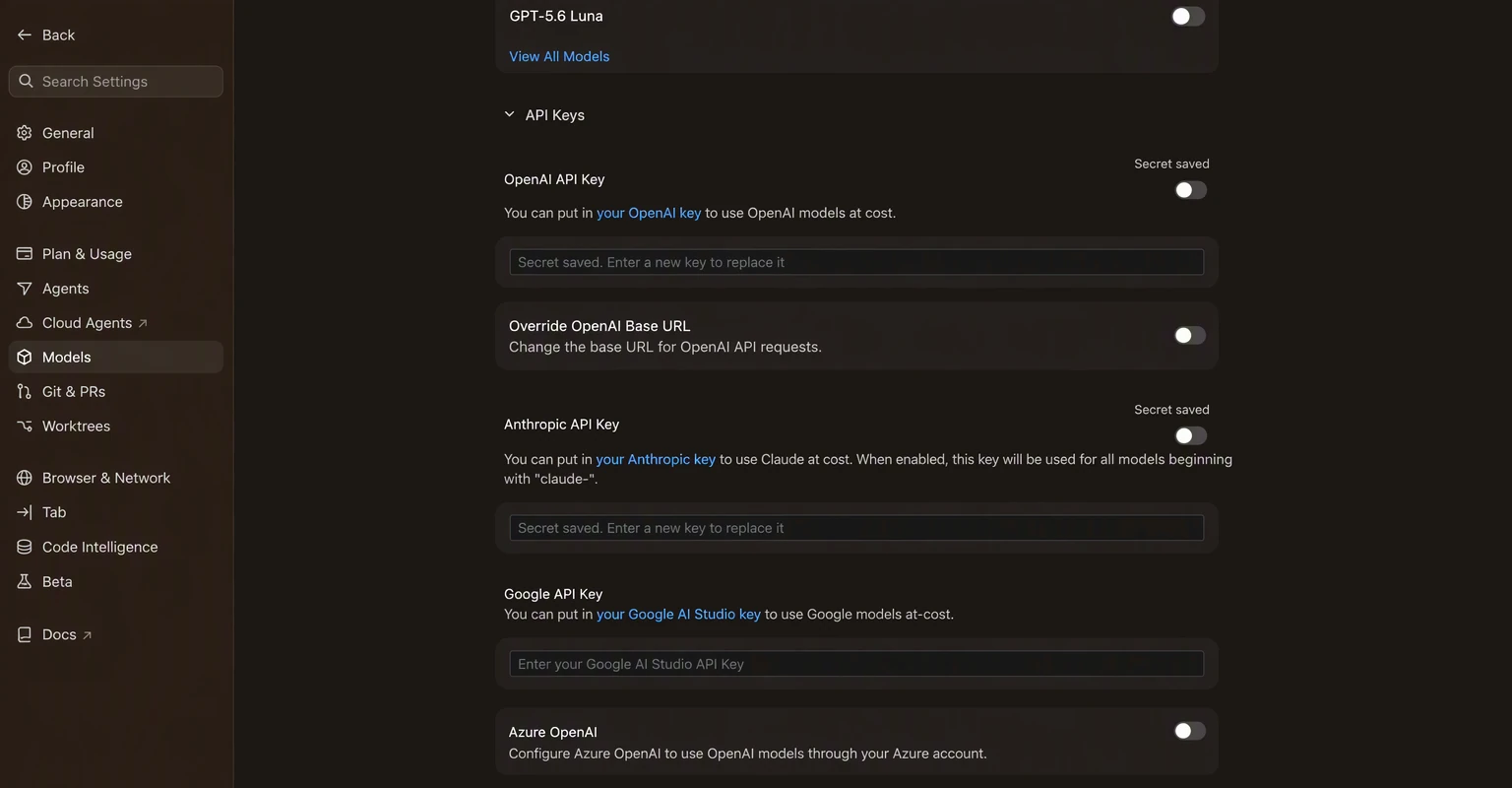
Open Cursor Settings → Models and scroll down to API Keys.
2. Add your key and base URL
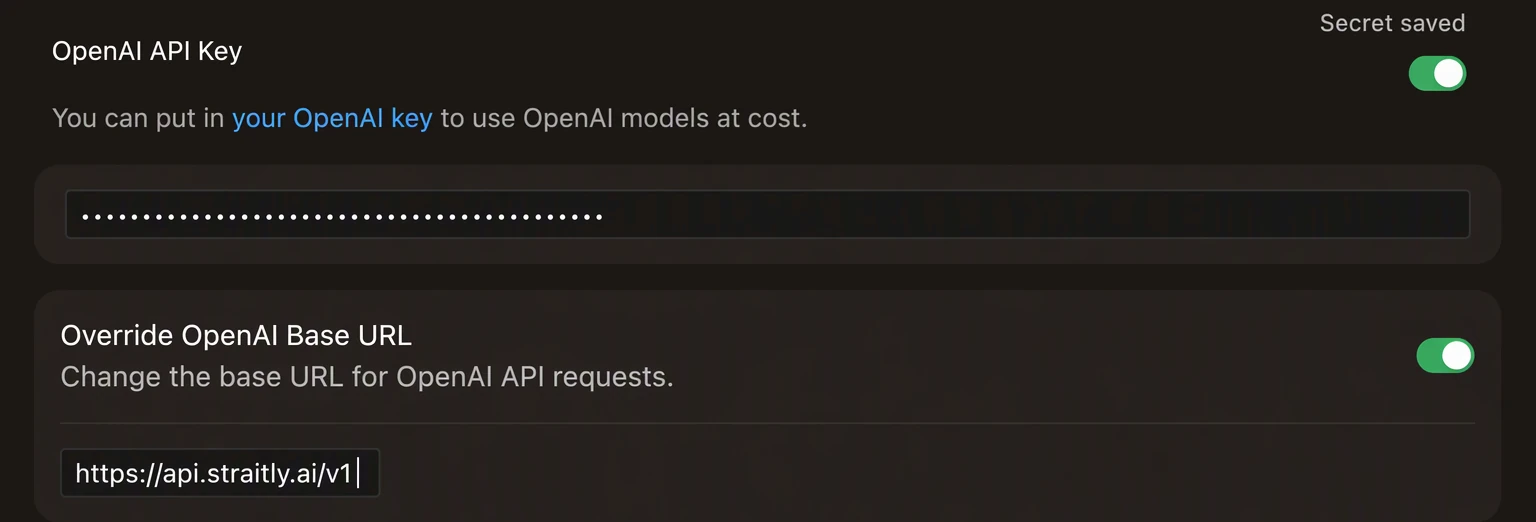
Turn on OpenAI API Key and paste your Straitly key. Turn on Override OpenAI Base URL and set it to https://api.straitly.ai/v1.
3. Enable the providers you want
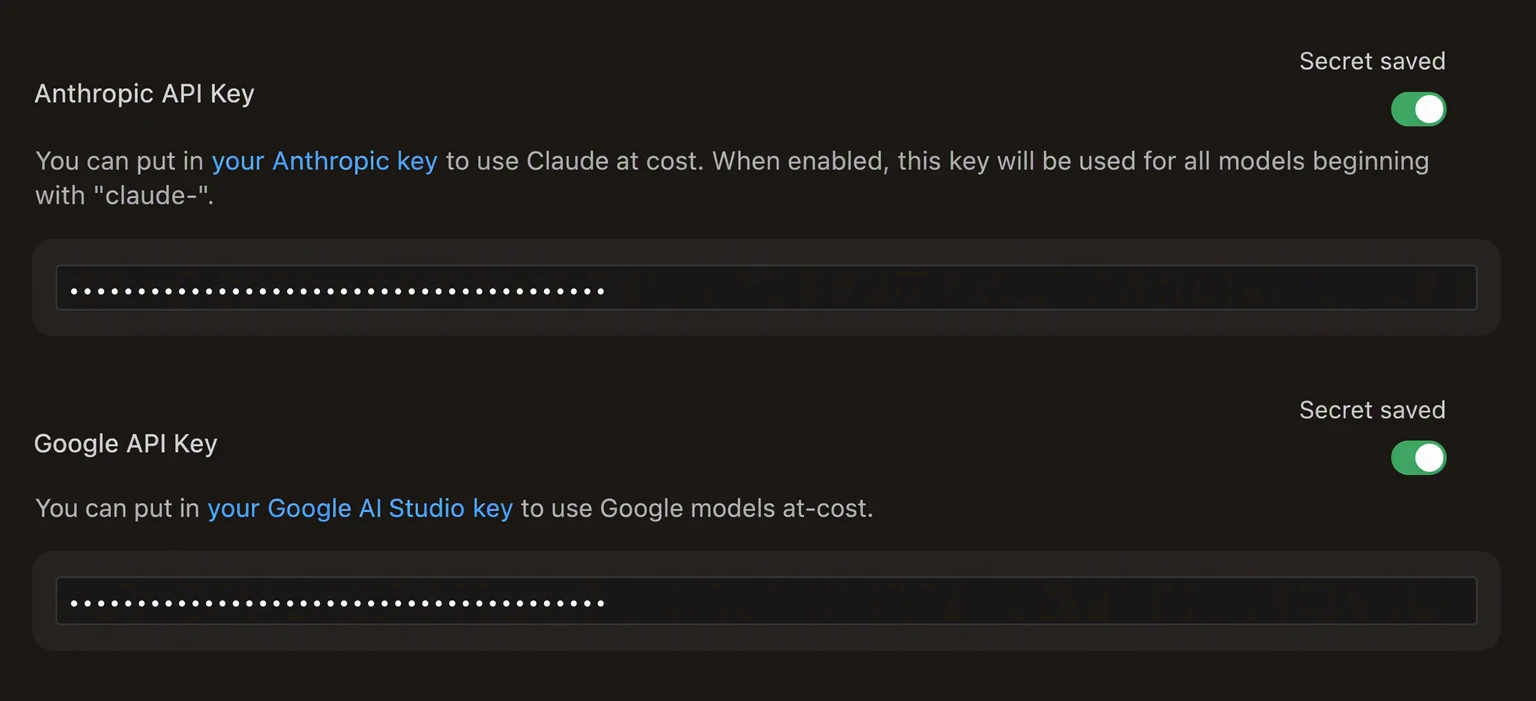
Every other provider uses the same Straitly key. For Claude, turn on Anthropic. For Gemini, turn on Google. Leave providers you do not use turned off.
4. Use Cursor’s own models
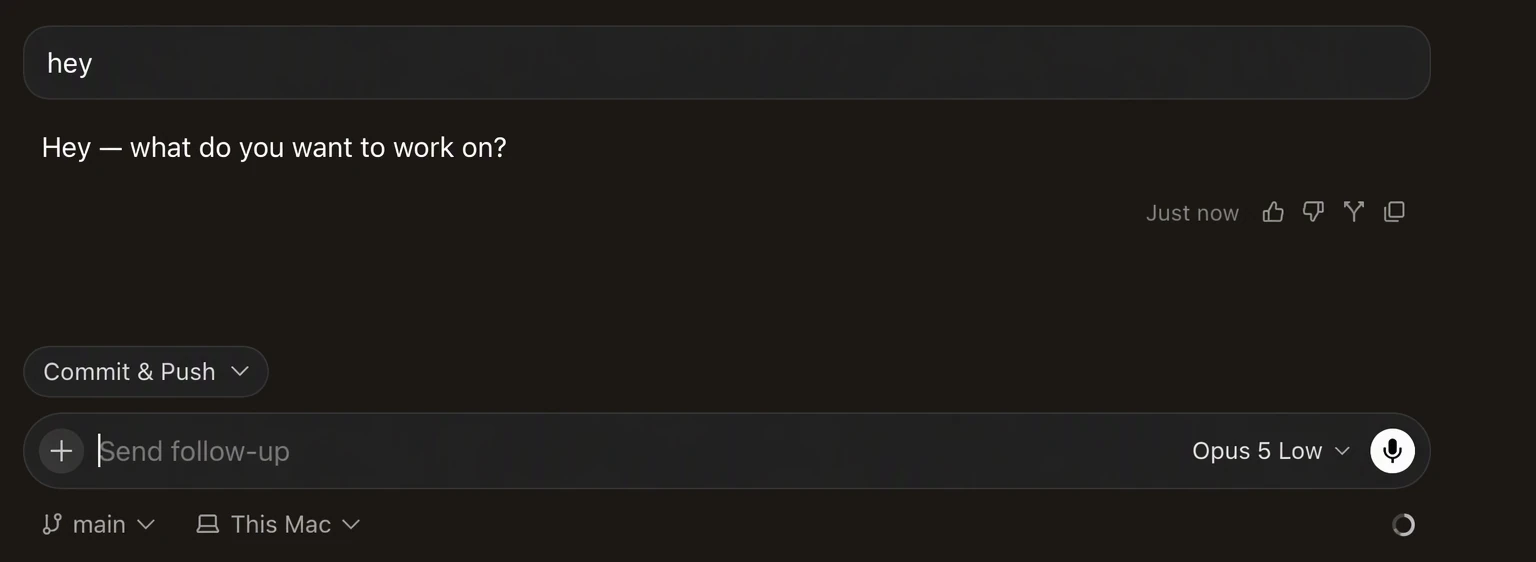
Do not add custom models. Pick from the models Cursor already lists, like Opus 5 or GPT-5.6, and they route through Straitly automatically.
Current Cursor limitations
These are Cursor-side issues. They affect custom API connections, not only Straitly.
- Thinking text is hidden for every model. The model still reasons, but Cursor does not display thinking streamed from custom APIs. Cursor ticket
- GPT-5.6 reasoning controls are not sent. Straitly uses medium reasoning by default. Cursor also hides those thinking tokens. Cursor ticket
- Composer 2.5 does not work with custom API keys enabled. Use Auto, or temporarily turn off the key with
Cmd+Shift+0before selecting Composer. Cursor ticket
Verify your connection
Choose a model already listed in Cursor, send a short message, then check Straitly Activity for the request.
Open request activity to check the model, status, and charge for your test request.
Setup checks
A model does not connect
Recheck the API key, the base URL including /v1, and the enabled provider. Use Cursor's existing model entries rather than adding custom models.
Composer or reasoning behaves differently
Check the Current Cursor limitations section above before changing your setup.
If the request is rejected, check your balance and key limits in Errors & limits.